👋 Welcome, Shop Owner!
You are one step away from listing your products on Loopli.ch. To make sure your inventory and prices on Loopli are always up-to-date without you having to lift a finger, we need to create a secure link between your shop and ours.
We do this using something called a WooCommerce API Key.
🔒 First: Your Security Guarantee
We understand that your website is your business. Before we start, we want to address your most important concerns:
- We can only LOOK, not TOUCH: We will guide you to create a "Read Only" key. This acts like a window shopper. We can see your products, images, and stock levels, but we have zero power to change prices, delete products, or access customer data.
- You are in control: You create the key, and you can delete it at any time from your dashboard to instantly cut the connection.
🛠️ How to get your Code (Step-by-Step)
Follow these simple steps to generate the code we need.
Step 1: Go to WooCommerce Settings
Log in to your WordPress Dashboard. In the left-hand menu, hover over WooCommerce and click on Settings.
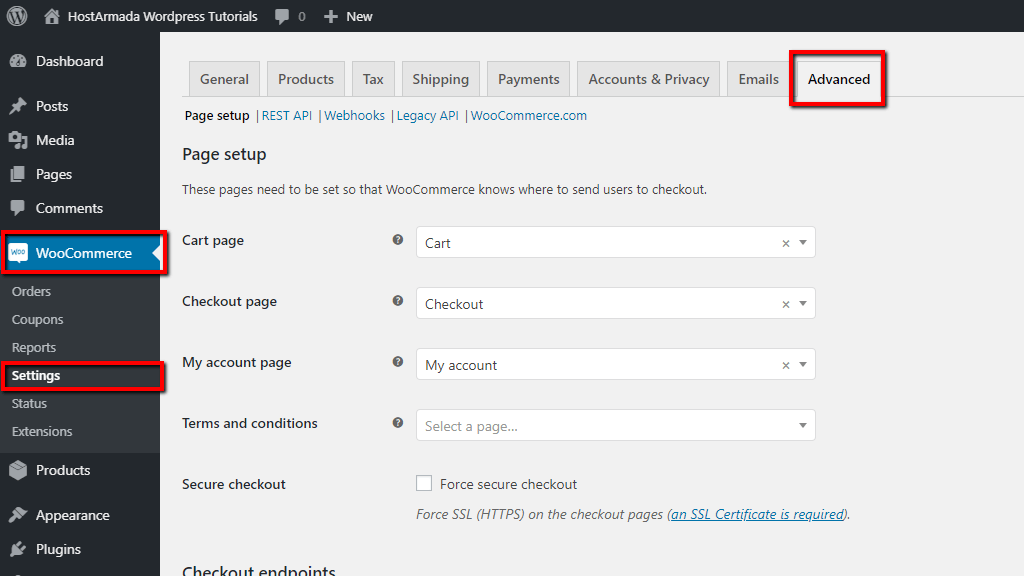
WooCommerce Settings Page Screenshot
Step 2: Find the API Section
- Click on the Advanced tab at the top of the settings page.
- Once the page reloads, click on the small text link just below the tabs that says REST API.
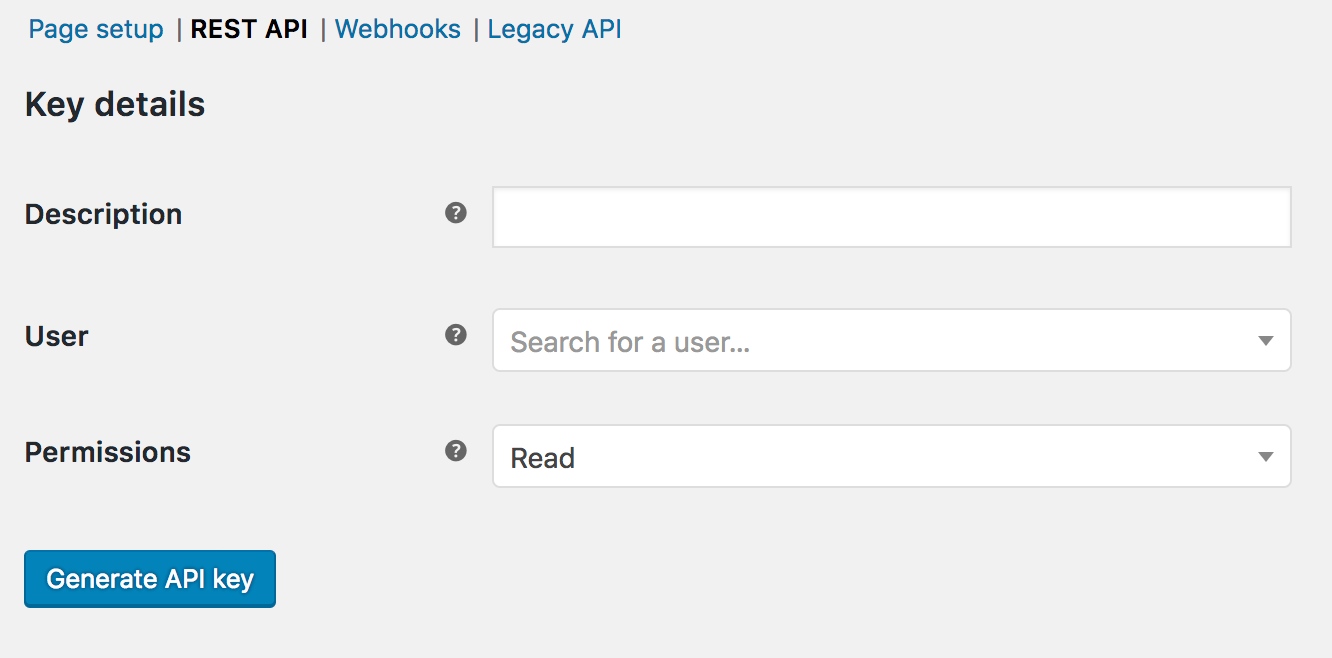
WooCommerce REST API Screenshot
Step 3: Add a New Key
Click the button that says Create an API key.
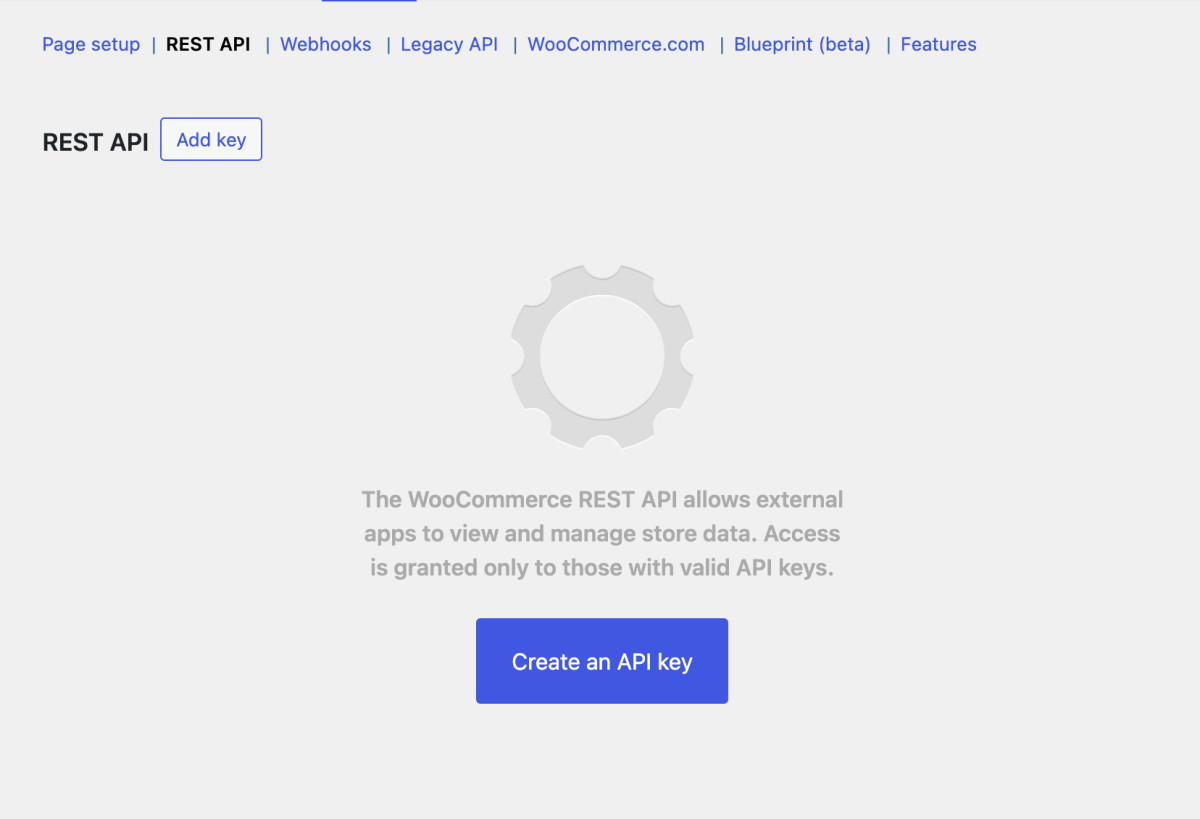
Create an API Key button
Step 4: Configure the Permissions (Important!)
You will see a form. Fill it out as follows:
- Description: Type "Loopli.ch"
- User: Leave this as your default user.
- Permissions: Click the dropdown and select Read.
- Note: Please ensure you select "Read". Do not select "Read/Write". This ensures we cannot modify anything on your site.
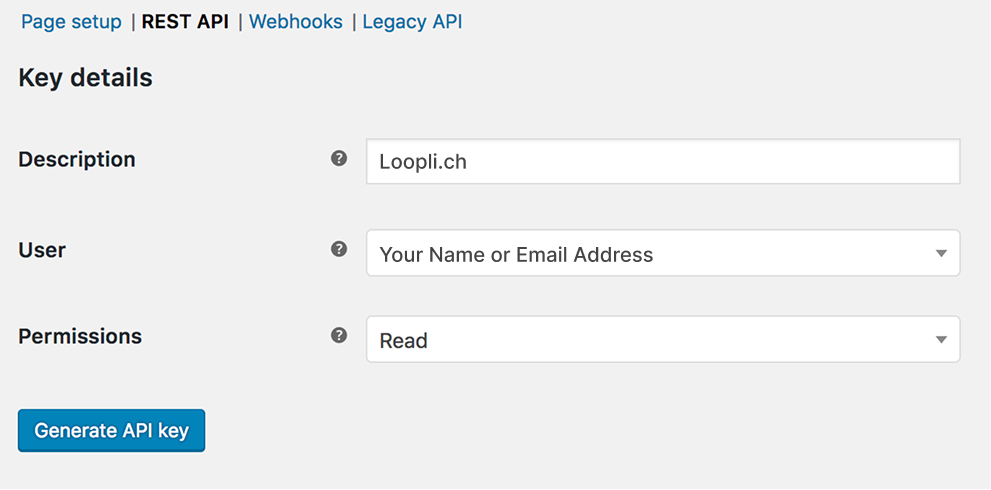
Key Settings Screenshot
Click the Generate API key button.
Step 5: Copy your Codes
WooCommerce will now show you two long strings of random characters:
- Consumer key (starts with ck_...)
- Consumer secret (starts with cs_...)
⚠️ Important: Copy these two codes immediately and save them or send them to us right away. Once you close this page, you cannot see the "Consumer secret" again!
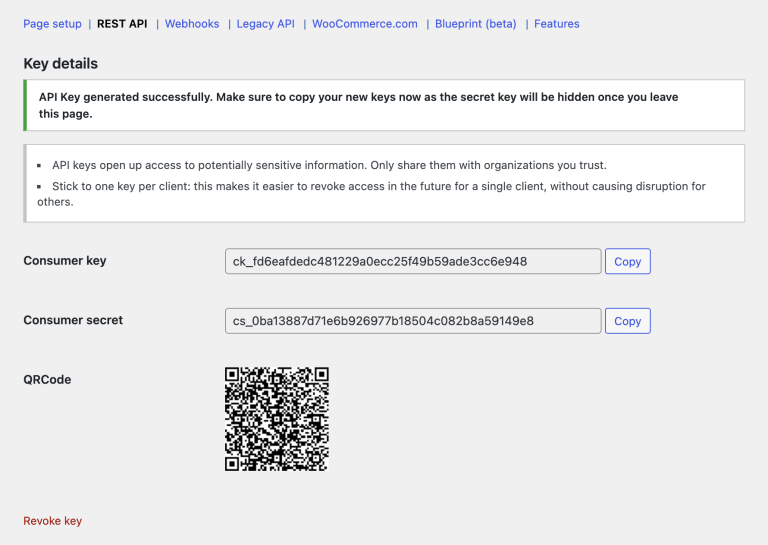
WooCommerce REST API Key details
📬 Send it to us!
Please copy and paste the two codes and send us an email and we'll take it from there!
🙋 Frequently Asked Questions
Does this give you access to my bank account or Stripe?
Absolutely not. This connection only looks at public product data (names, descriptions, prices, images) and stock quantities. It has no access to payment gateways or banking info.
Will this slow down my website?
No. Our system checks your site around midnight in the background. It is very lightweight and designed to have no impact on your customer's browsing experience.
What if I want to stop listing on Loopli?
You can simply go back to the "REST API" section in your WooCommerce settings, find the "Loopli Sync" key, and click "Revoke". The connection will be instantly severed.
🤝 Need a helping hand?
We know that technology can sometimes be intimidating. If you feel unsure about any of these steps, we are here to help!
Let's do it together. We are happy to hop on a quick 10-minute video call with you. You can share your screen, and we will guide you through the process click-by-click.
Simply send us an email and we'll take it from there!

 Belgique
 Deutschland
 France
 Italia
 United Kingdom
 Aargau
 Appenzell Ausserrhoden
 Appenzell Innerrhoden
 Basel-Land
 Basel-Stadt
 Bern
Bern
 Fribourg
 Geneva
 Glarus
 Grisons
 Jura
Jura
 Lucerne
 Nidwalden
 Obwalden
 Thurgau
 Ticino
 Uri
Uri
 Valais
 Vaud
Vaud
 Zug
Zug
 Zurich